
Pages List
List view
Getting Started
Getting Started
Product Data Management
Product Data Management
CAD Collaboration
CAD Collaboration
Workflows
Workflows
Pricing and Billing
Pricing and Billing
Help & Support
Help & Support
Video Guides
Securely Share CAD Files with Guests
Share CAD files securely with suppliers, clients, and external collaborators without exchanging source files by email. CAD ROOMS Guest Sharing lets you invite external partners to review individual CAD files directly in their browser, with controlled access backed by an ISO 27001-certified information security management system. This video covers workspace and project permissions, guest invitations, download restrictions, 3D viewing tools, and collecting design feedback through annotations and comments.
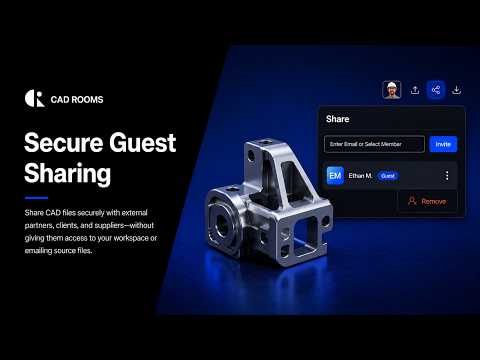
Key Video Chapters
- 00:00 — Share CAD Files Securely with External Partners
- 00:16 — Control Who Can Manage Your CAD Workspace
- 00:31 — Give Team Members the Right Project Permissions
- 00:44 — Easily Invite External Guests to Review CAD Files
- 01:01 — Prevent Guests from Downloading Shared CAD Files
- 01:12 — Review Shared 3D Models Without CAD Software
- 01:32 — Collect Design Feedback Directly on 3D Models
- 01:52 — Inspect CAD Models with Wireframe and Transparent Views
- 02:05 — Share CAD Designs Without Losing Access Control
How to Securely Share CAD Files with Guests
- Open the file you want to share. Find the CAD file in your workspace and open it in the CAD ROOMS Viewer.
- Invite an external guest. Use the available sharing options to invite a supplier, client, or external collaborator to review the file.
- Configure access permissions. Review the guest's access settings and configure download restrictions where available.
- Review the model in the browser. Guests can inspect the shared 3D model using available viewing tools, including wireframe and transparent views.
- Collect design feedback. Use comments and annotations to discuss the shared design without exchanging CAD files through email.
For detailed guidance, see Secure External Collaboration with Guest Sharing.